Simple, Functional Interface
Minimal design that stays out of your way until you need it
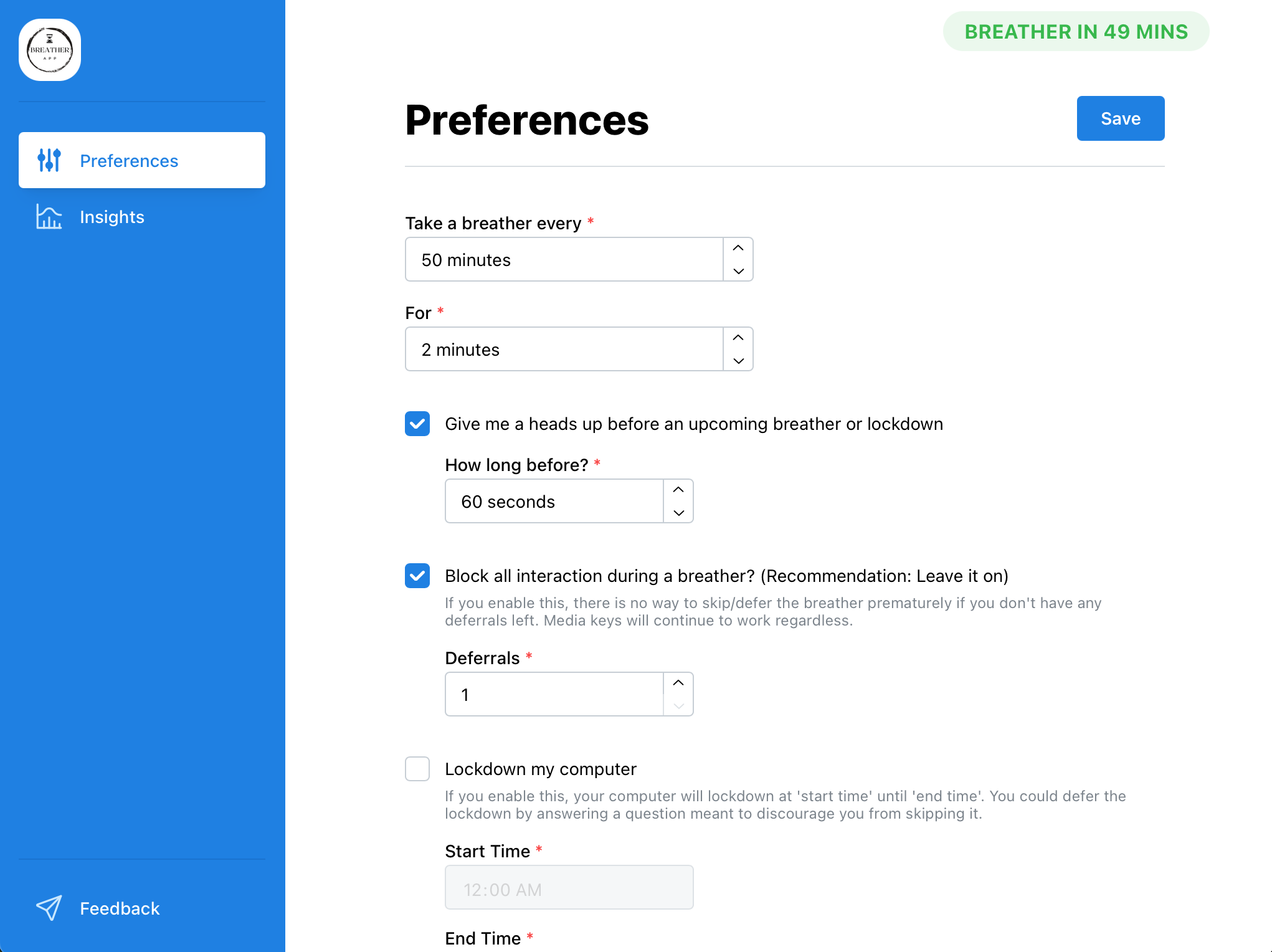
A smart companion that gently reminds you to stretch, rest your eyes, correct posture, and simply breathe. Because taking breaks isn't just healthy - it's essential for productivity.
Try the full app free for 7 days - no credit card needed
Breather understands your workflow and adapts to your needs
Never get interrupted during important calls or presentations. Breather intelligently detects when you're in meetings and pauses notifications.
Already stepped away? Breather notices and smartly pauses or resets itself, ensuring you get credit for natural breaks you take.
Need to truly disconnect? Enable "force mode" to block all interactions and ensure you take that essential breather you deserve.
Get a friendly heads-up before your next break, so you can finish your current task without interruption.
Tailor your break schedule to your preferences. Short eye breaks, longer stretch sessions, or custom intervals - you're in control.
Set automatic computer locks for specific times (like past midnight) to maintain healthy boundaries between work and rest.
Minimal design that stays out of your way until you need it
Fresh features that make your breaks even more personal
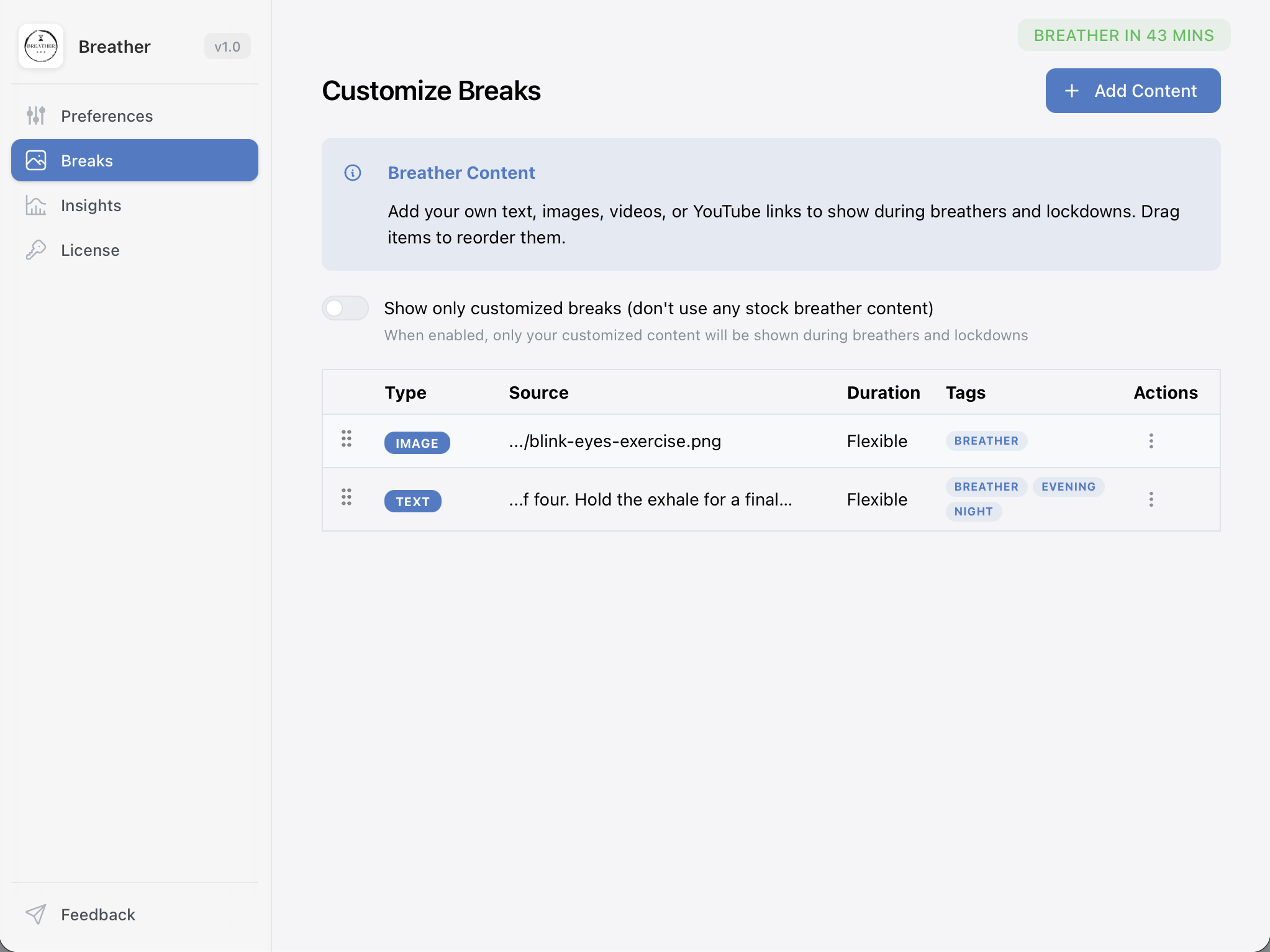
Make every break truly yours. Add text, images, or videos to be shown during breathers and lockdowns - and arrange them in whatever order you like. Inspirational quotes, calming visuals, guided stretches - it's all up to you.
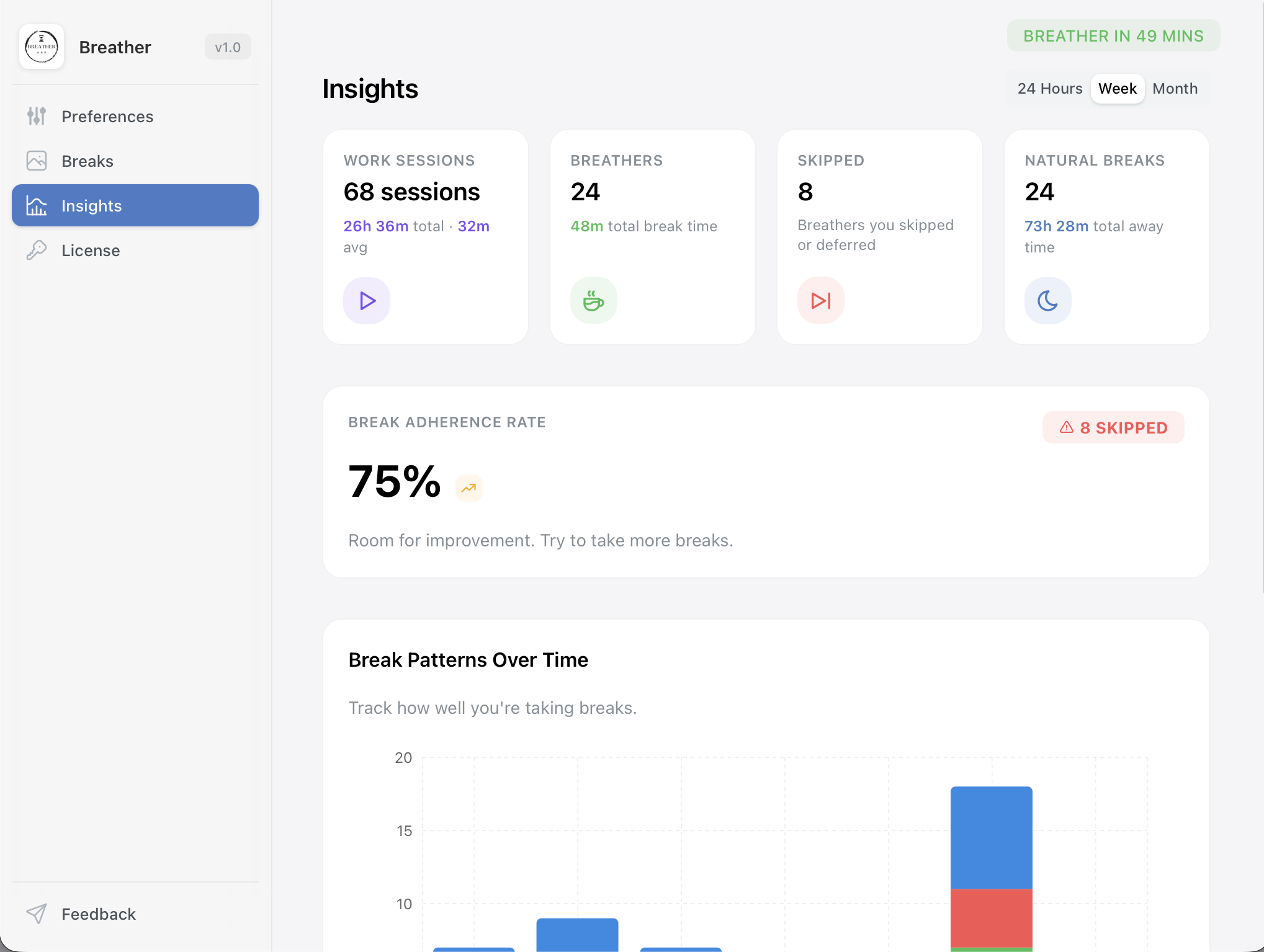
Get a clear picture of your work and break habits. See your average session length, break frequency, and trends over the last 24 hours, week, or month - all in a beautiful visual report that helps you build healthier routines.
Join thousands of professionals who've already made wellness a priority. Download Breather today and start your journey to better work-life balance.
7-day free trial • No credit card required • macOS 15 or later
We're happy to help with anything — licensing, technical issues, or just saying hello.
[email protected]